How to Identify Aeration Tank Foam by Color — and Remove It
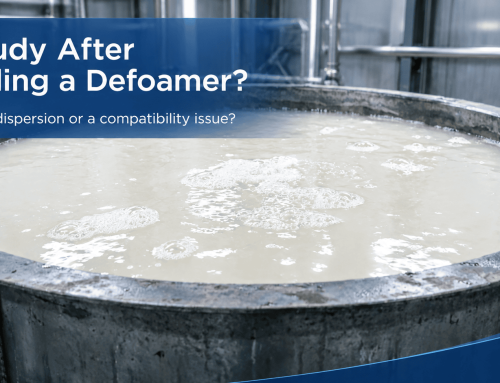
In the activated sludge process, the aeration tank is where most foam problems show up. Foam on the surface traps air, cuts oxygen transfer, and — left unchecked — can drop effluent quality or even collapse the system. The useful part: foam color, bubble size, stability and coverage are screening clues—not a diagnosis by themselves. This guide covers the four most common foam types, how to diagnose each, and which defoamer to use. If you need the current product range, see our wastewater treatment defoamers page; for selection criteria and trial planning, use the water treatment defoamer selection guide.
Screen a candidate for pH and temperature stability, knockdown, rebound and the lowest effective dose. In biological treatment, compare a blank and treated sample and monitor respiration, settling or SVI, effluent quality and COD/BOD contribution before continuous dosing.
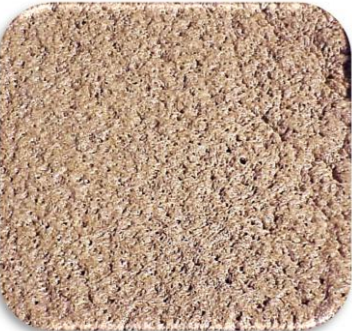
1. Brownish-Yellow Foam — Aging Sludge
Symptom
Small amounts of fragile foam form around the aerators and drift to the corners. The foam is brownish-yellow — the same color as the sludge.
Cause & Diagnosis
Brownish-yellow foam may accompany older sludge or solids carried into the foam, but color alone is not conclusive. Check recent influent changes, sludge age or SRT, settling behavior, SVI trend and microscopy against the plant’s own normal operating range.
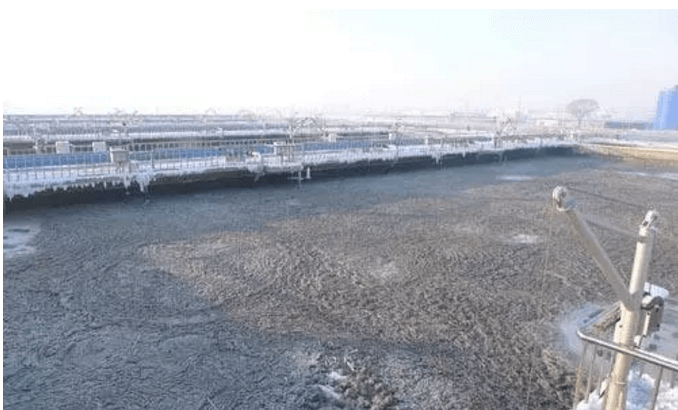
2. Gray-Black Foam — Anoxic / Anaerobic
Symptom
Foam volume and behavior resemble the brownish-yellow case, but the foam — and the whole sludge — takes on a grayish-black tint.
Cause & Diagnosis
Gray-black foam can be associated with septic or oxygen-deficient zones, dark influent, or solids carryover. Measure dissolved oxygen (DO) at several points, review aeration and mixing, and compare odor, ORP where available, influent color and microscopy with the plant baseline before assigning a cause.
3. White Foam — Overload / Over-Aeration / Detergent

Symptom
Thick white foam. Viscous, persistent white foam may accompany a loading change, while loose white foam may follow startup, low solids, aeration changes or surfactant inflow. Use operating data to separate these causes.
Cause & Diagnosis
Review influent surfactants, organic loading, F/M, MLSS, SRT and the DO profile. Use the plant design and historical stable range rather than a universal F/M or DO cutoff, and correct the process driver before relying on chemical control.
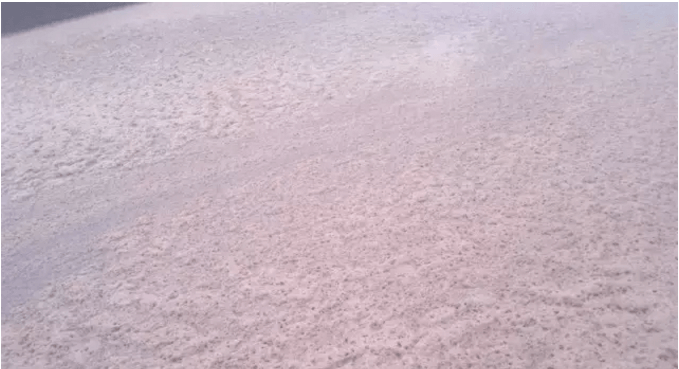
4. Colored Foam — Dyed Effluent / Surfactants
Symptom
Foam carries color. Dyed, high-organic influent produces high-load-type foam that takes on the water's color; surfactant-rich inflow can give an iridescent sheen in sunlight.
Cause & Diagnosis
Tied to colored-wastewater inflow and detergent/surfactant inflow. Check whether the effluent stays colored, and watch where foam accumulates around the inflow zone to judge the surfactant impact downstream.
Quick Reference: Foam Type → Defoamer
| Foam Color | Likely Cause | Defoamer / Next Check |
|---|---|---|
| Brownish-yellow | Possible older sludge / solids; verify SRT, SVI trend and microscopy | INVINO-5023 |
| Gray-black | Possible septic or oxygen-deficient zone; verify DO profile and influent | INVINO-5023 |
| White foam | High load / over-aeration / detergent | INVINO-2430 |
| Colored foam | Dyed effluent / surfactants | INVINO-2430 |
| MBR / membrane | Membrane compatibility must be verified | INVINO-4000 |
Frequently Asked Questions
Q: What does brownish-yellow foam in an aeration tank mean?
A: It can accompany older sludge or solids carried into the foam, but color alone is not conclusive. Compare SRT, settling, the SVI trend and microscopy with the plant’s stable baseline before selecting a control step.
Q: Why is the foam in my activated sludge tank gray-black?
A: Possible causes include septic or oxygen-deficient zones, dark influent and solids carryover. Check the DO profile, mixing, odor or ORP where available, influent color and microscopy before assigning a cause.
Q: What causes white foam in wastewater treatment?
A: Startup or low solids, surfactant inflow, and changes in loading, F/M or aeration can all produce white foam. Review operating trends instead of relying on one universal cutoff.
Q: What does colored foam indicate?
A: Colored foam often follows dyed influent or surfactant carryover, but the source should be confirmed from influent timing and process data. For membrane systems, run a compatibility trial and track TMP, flux and permeate quality.
Q: Will the defoamer harm the activated sludge bacteria?
A: Do not assume biological compatibility from the chemistry name alone. Test the exact grade and dose against a blank, then monitor respiration, settling or SVI, effluent quality and foam rebound before continuous dosing.